.png?fit=max&auto=format&n=gbfjATVuDlrW3nc5&q=85&s=18d74c7d9905cdd8e08147a76da1eab2)
Funding by Platform
Each prediction market requires funds on a specific chain:Depositing to Polymarket
Polymarket uses a Bridge feature that accepts deposits from 9 chains:- Ethereum, Polygon, Arbitrum, Base, Optimism, BSC, Solana, Bitcoin, Tron
1
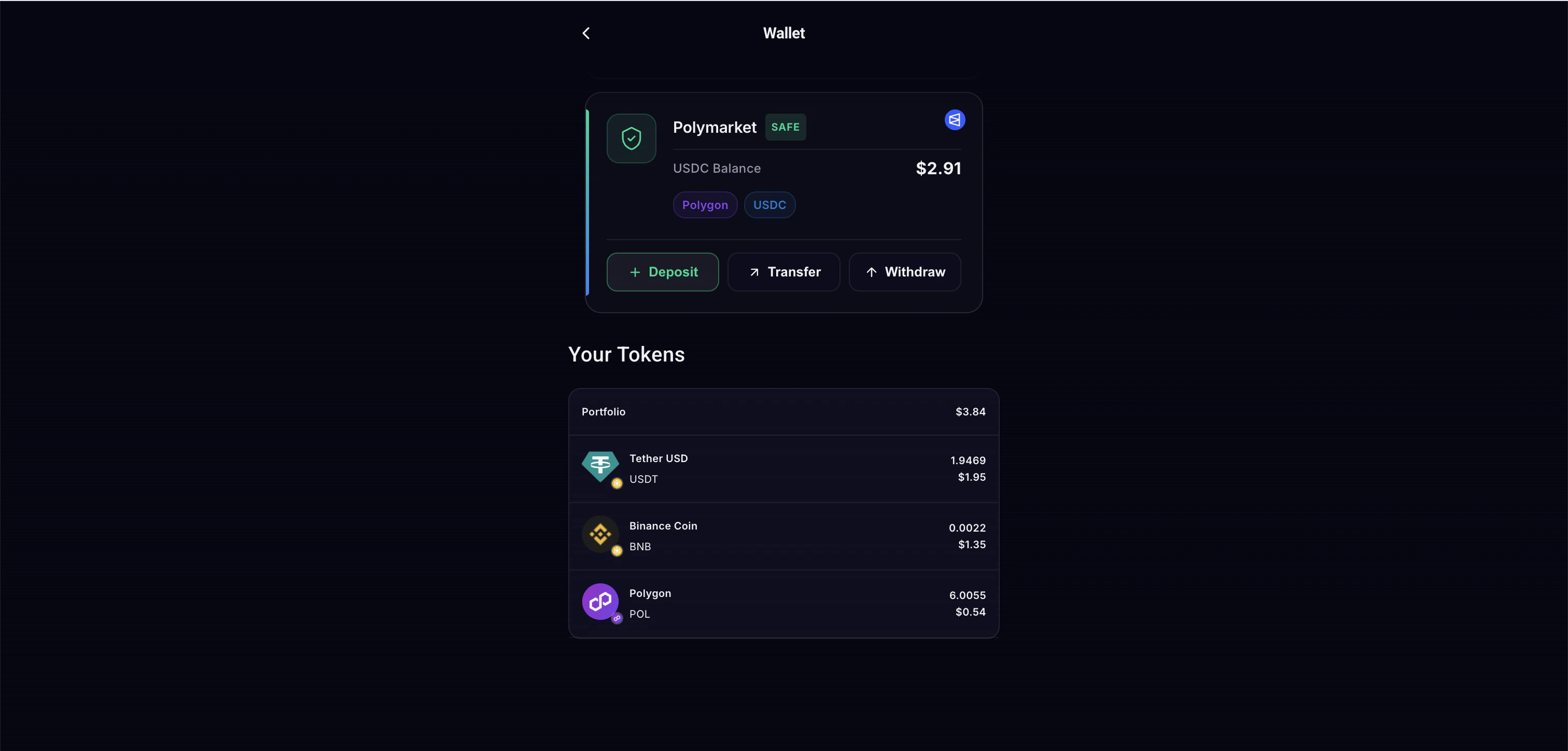
Open Wallet page
Navigate to the Polymarket section and tap Deposit.
2
Choose source chain
Select the chain you’re sending from.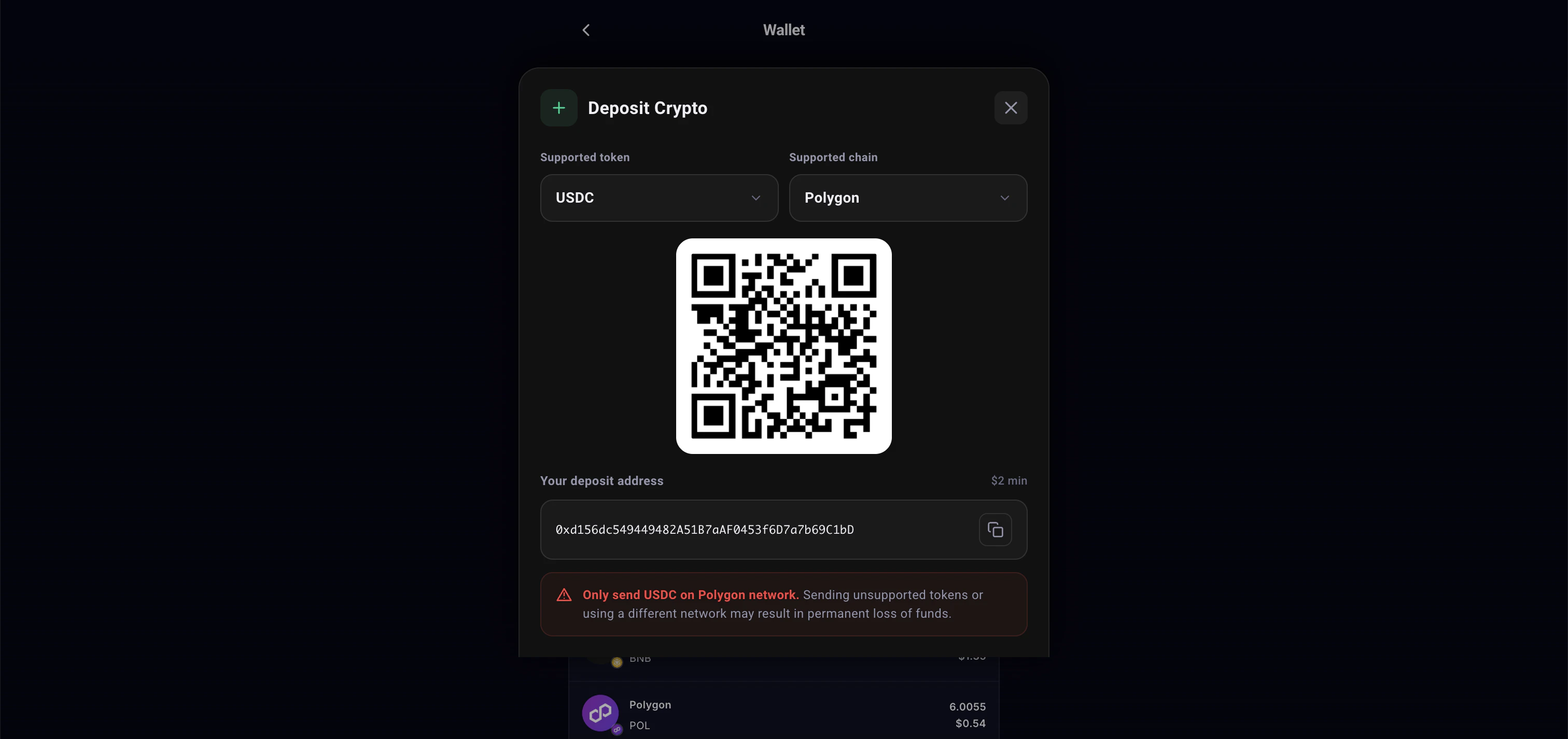
3
Send funds
Transfer to the provided deposit address.
4
Wait for confirmation
Funds arrive in your Safe wallet within minutes.
Withdrawing from Polymarket
To move USDC out of your Polymarket Safe:- Go to Safe Withdraw
- Enter the amount
- Funds transfer from Safe to your personal EVM wallet (gasless)