.png?fit=max&auto=format&n=gbfjATVuDlrW3nc5&q=85&s=18d74c7d9905cdd8e08147a76da1eab2)
How to Enable Any Agent
1
Navigate to the agents tab
Go to Agents tab in the home page or the specific agent’s page.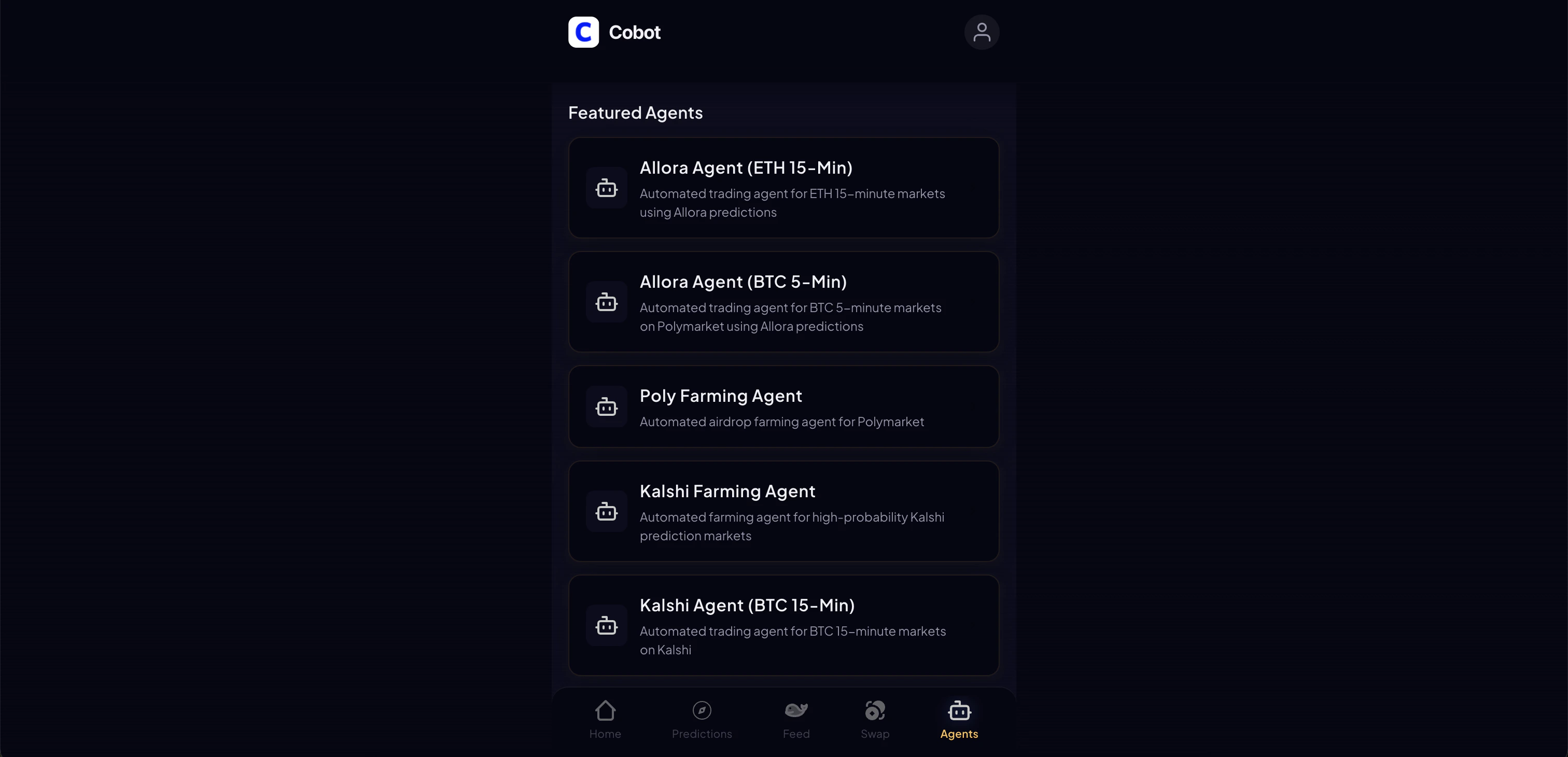
2
Open and Configure settings
Choose any agent, set your position size (how much to trade per position), choose a strategy
3
Enable
Toggle Enable to activate the agent.
4
Fund your wallet
Make sure your wallet has sufficient USDC.
Available Agents
BTC 5-Minute
Most advanced agent. 8 strategies using Binance price data + Allora AI predictions.
ETH 15-Minute
Trades ETH price markets using Allora AI predictions.
BTC 15-Minute
Trades BTC 15-minute markets using Allora predictions.
SOL 15-Minute
Trades SOL 15-minute markets using Allora predictions.
Polymarket Farming
Volume farming on high-probability Polymarket markets.
Kalshi Farming
Volume farming on Kalshi markets.