> ## Documentation Index
> Fetch the complete documentation index at: https://docs.cobot.gg/llms.txt
> Use this file to discover all available pages before exploring further.
# Your Wallets
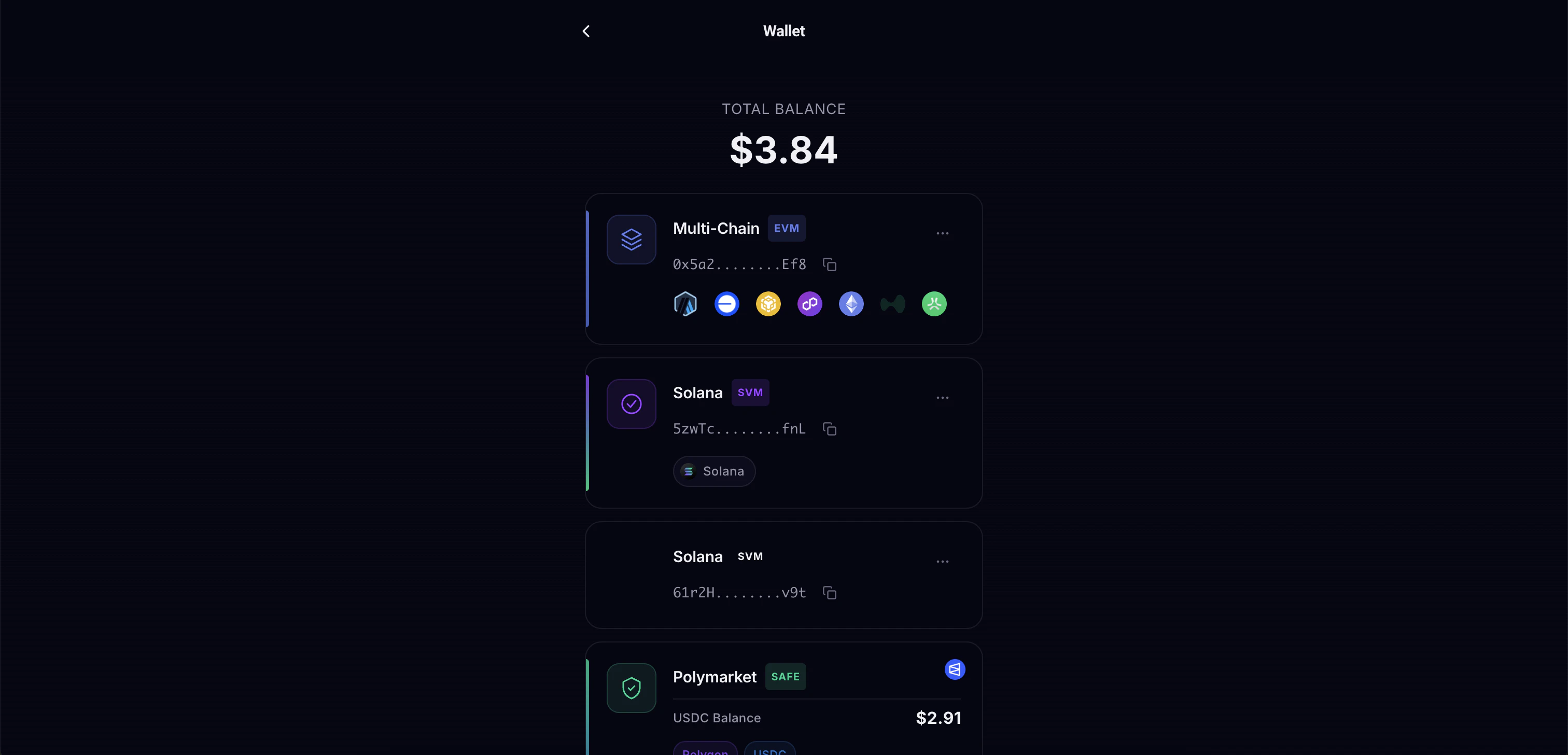
> Understanding your auto-created Polymarket SAFE, EVM and Solana wallets
## Wallet Types
Cobot creates two wallets for you automatically at sign-up:
Works on Ethereum, Base, Polygon, BSC, and Arbitrum. Used for Myriad, Limitless, and token swaps.
Works on the Solana blockchain. Used for Kalshi trading, Jupiter swaps, and Pump.fun.
## Polymarket Safe Wallet
For Polymarket trading, a **Gnosis Safe** wallet is automatically derived from your EVM address:
* All Polymarket funds and positions are held in the Safe
* Orders are signed by your EOA but executed through the Safe
* The Safe is deployed and allowances are set automatically (gasless)
* You can withdraw USDC from Safe back to your personal wallet anytime
## Viewing Your Wallets
You can view your wallet addresses and balances in:
* **Profile** page - See all wallet addresses
* **Agent Wallet** page - Detailed view with token holdings per chain
* **Swap** page - Quick balance check before swapping