> ## Documentation Index
> Fetch the complete documentation index at: https://docs.cobot.gg/llms.txt
> Use this file to discover all available pages before exploring further.
# Fund Your Wallet
> How to deposit funds for trading
## Funding by Platform
Each prediction market requires funds on a specific chain:
| Platform | What You Need | Where |
| --------------- | ----------------------------- | ----------------- |
| **Polymarket** | USDC | Safe wallet |
| **Kalshi** | USDC | Solana wallet |
| **Limitless** | USDC | Base (EVM wallet) |
| **Token Swaps** | Native tokens (ETH, SOL, BNB) | Respective chain |
## Depositing to Polymarket
Polymarket uses a **Bridge** feature that accepts deposits from 9 chains:
* Ethereum, Polygon, Arbitrum, Base, Optimism, BSC, Solana, Bitcoin, Tron
Your funds go to your Safe wallet on Polygon automatically.
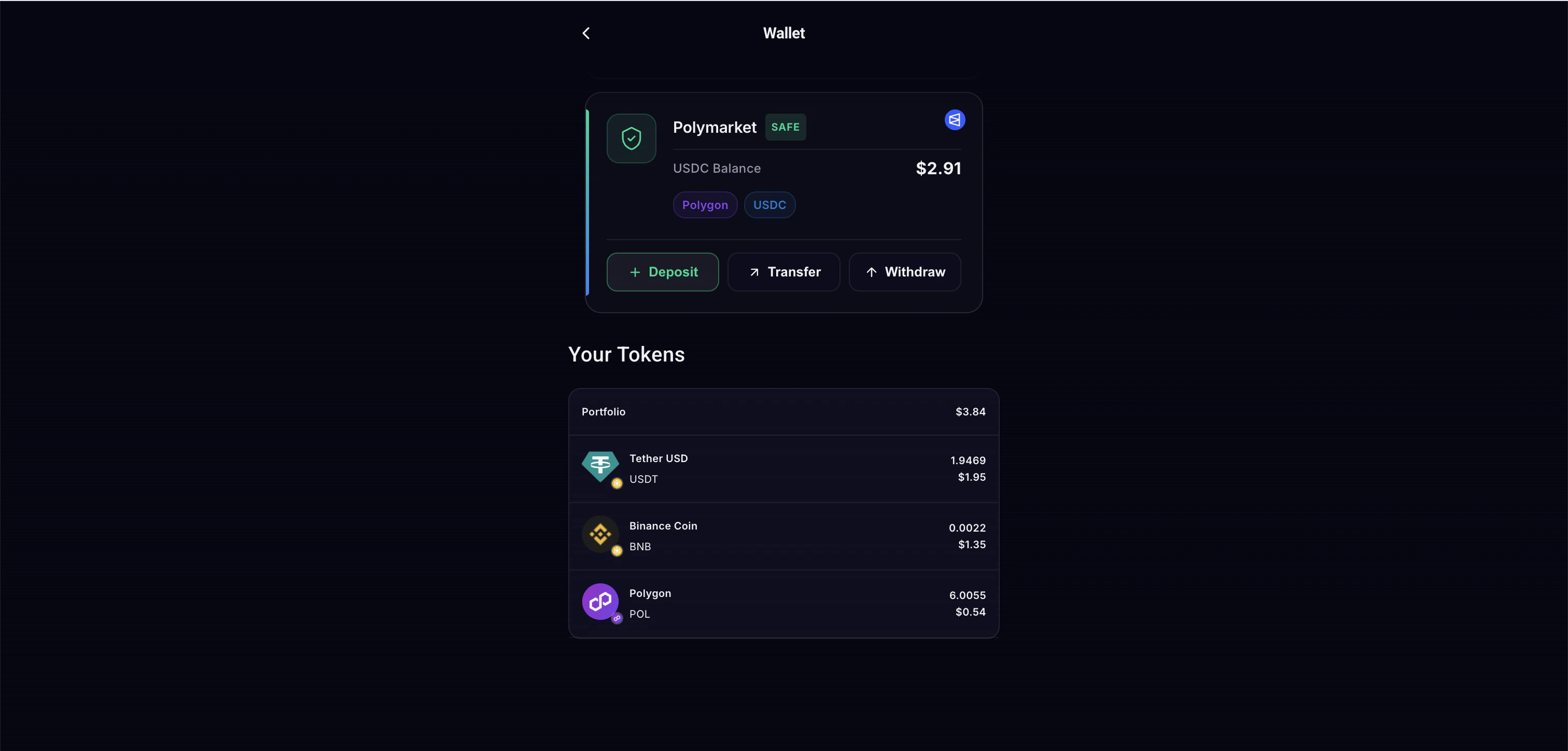 Navigate to the Polymarket section and tap Deposit.
Select the chain you're sending from.
Navigate to the Polymarket section and tap Deposit.
Select the chain you're sending from.
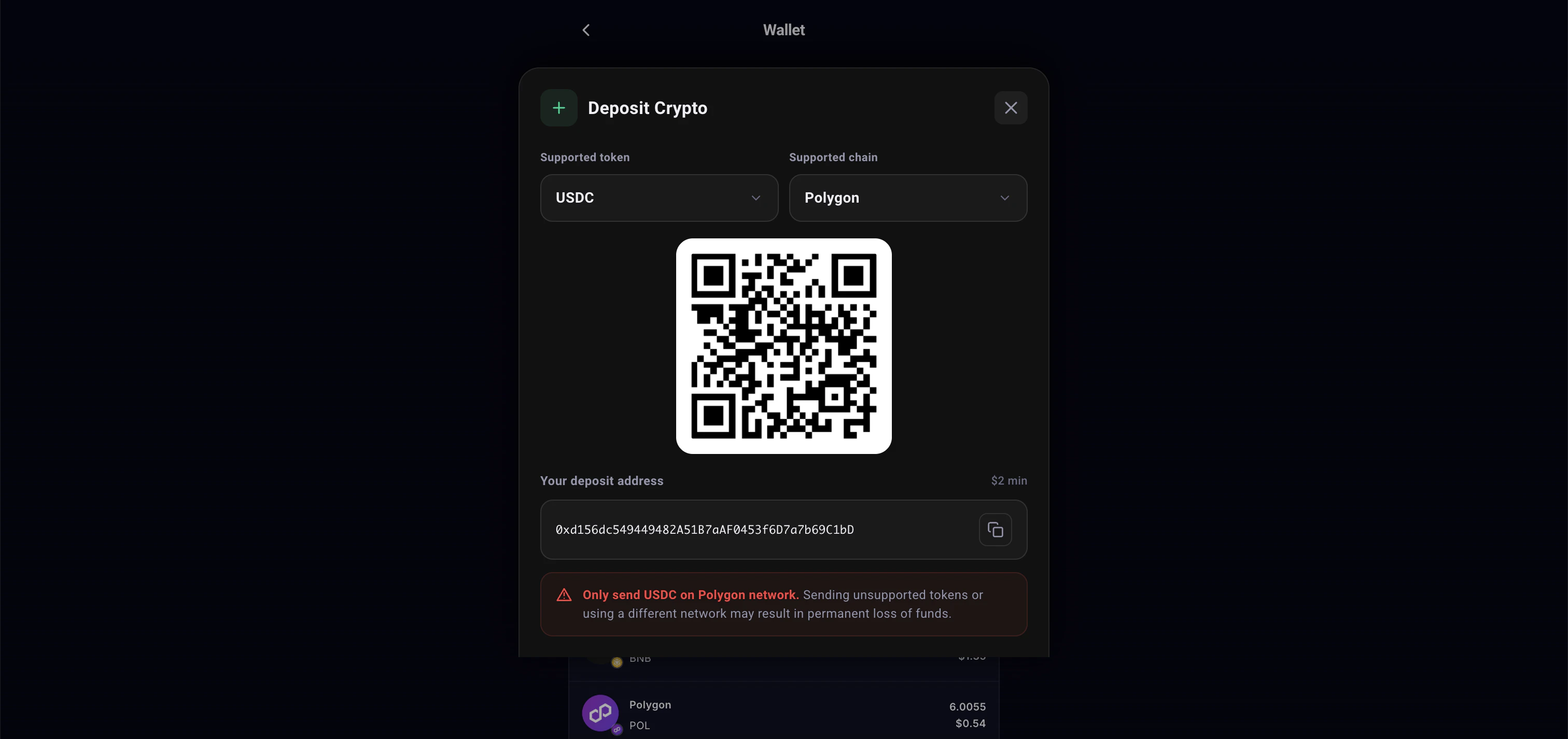 Transfer to the provided deposit address.
Funds arrive in your Safe wallet within minutes.
## Withdrawing from Polymarket
To move USDC out of your Polymarket Safe:
1. Go to Safe Withdraw
2. Enter the amount
3. Funds transfer from Safe to your personal EVM wallet (gasless)
## Depositing to Other Platforms
For Kalshi, Limitless, and token swaps, simply send tokens directly to your wallet address shown in the Profile or Agent Wallet page.
Use the **Swap** feature to convert between tokens and bridge across chains without leaving the app.
Transfer to the provided deposit address.
Funds arrive in your Safe wallet within minutes.
## Withdrawing from Polymarket
To move USDC out of your Polymarket Safe:
1. Go to Safe Withdraw
2. Enter the amount
3. Funds transfer from Safe to your personal EVM wallet (gasless)
## Depositing to Other Platforms
For Kalshi, Limitless, and token swaps, simply send tokens directly to your wallet address shown in the Profile or Agent Wallet page.
Use the **Swap** feature to convert between tokens and bridge across chains without leaving the app.